Seven-day check-in
Every day you return is another moment made for your faith. Your seven-day check-in helps you see that rhythm taking shape.
 SELAHVOXSELAHVOX STUDIOS
Born from a Beauty from Ashes story, SelahVox brings journaling, Scripture, and a faith-based companion into your everyday life. A place to find your words, hold onto hope, and begin again.
“But those who wait for Yahweh will renew their strength.”Isaiah 40:31
SelahVox was born from a Beauty from Ashes story: the belief that even after loss, brokenness, or a season when it feels like everything is gone, there is still room for new life. Your pain is part of your story. It does not have to be the last word.
Through honest journaling, prayer, and time in Scripture, SelahVox makes room to reflect on where you have been and take a faithful step toward what comes next. Your faith-based companion is there to help you find words when they are hard to come by, notice moments of growth, and carry reflection into everyday life. Wherever life takes you, you can bring that space to pause, reflect, and begin again.
Our icon carries that story. The burned pages honor what you have lived through. The open book reminds you that your story is still being written. The cross represents the faith at the heart of SelahVox, and the light speaks to hope in the darkness. The green sprout is new life rising from the ashes: a reminder that what comes next can still be beautiful.
You do not have to have it all together to begin. Come as you are. Bring your story. Take the next step in faith.
A few quiet minutes can become a meaningful rhythm. See the days you’ve shown up, the chapters you’ve read, and the studies you’re growing through—all together in one place.
Every day you return is another moment made for your faith. Your seven-day check-in helps you see that rhythm taking shape.
Pause with today’s reflection, or look back over your week or month and see the space you’ve made for yourself.
Pick up where you left off in Scripture or a saved study. There’s room to move at your own pace.
Celebrate the weeks you’ve returned, the months you’ve reflected, and the studies you’ve completed.
A little space for reflection. A way to stay connected. Explore what you can bring into your everyday walk with SelahVox.
Start with a word of encouragement. See how your daily walk is growing, then return to a journal, a Bible chapter, a study, or a quiet devotional whenever you’re ready.
Sometimes you need a place to put what’s on your heart. Talk it through with your companion, or write at your own pace. Listen to the voice previews and choose someone who feels familiar. Talk through your day, find words for a journal, or ask for help reflecting. You decide what to keep.
Your daily, weekly, and monthly views bring together the days you’ve journaled, the chapters you’ve spent time with, and your study progress. Your seven-day check-in and lasting achievements help you notice the small steps along the way.
Your daily word, seven-day check-in, and growing faith—all together on Home.
Inside SelahVox · iPhone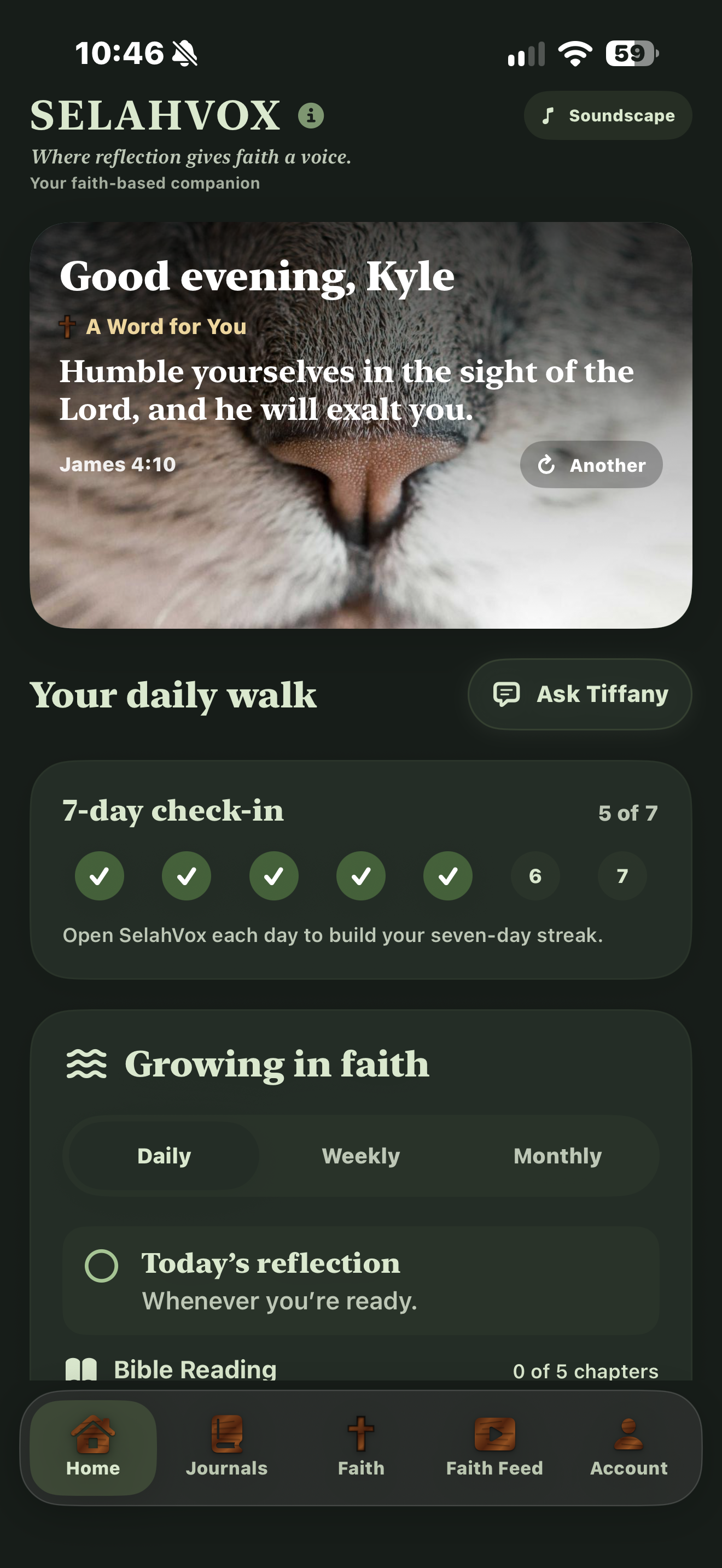
You don’t need the perfect words to begin. Start with an idea or a blank page, then speak or write whatever is on your heart. Save it when you’re ready, and come back whenever you need to.
Past Journals keeps your words together by year, month, and week. Search for something you remember, choose a date on the calendar, or filter your entries. Keep the order that feels right to you, and revisit a day without losing where it belongs in your story.
Create a monthly reflection when you’re ready to look back. In Insights, revisit themes that return in what you’ve chosen to save and spend time with a Scripture connection. There’s no score for how you felt—just room to notice, reflect, and grow.
Start with a journaling idea, write freely, or create with your companion. You can ask for a prayer around what you’ve shared, listen back to your saved words, and choose what to save or share.
Start a journal, find an idea that speaks to you, and return to the words you want to keep.
Inside SelahVox · iPhone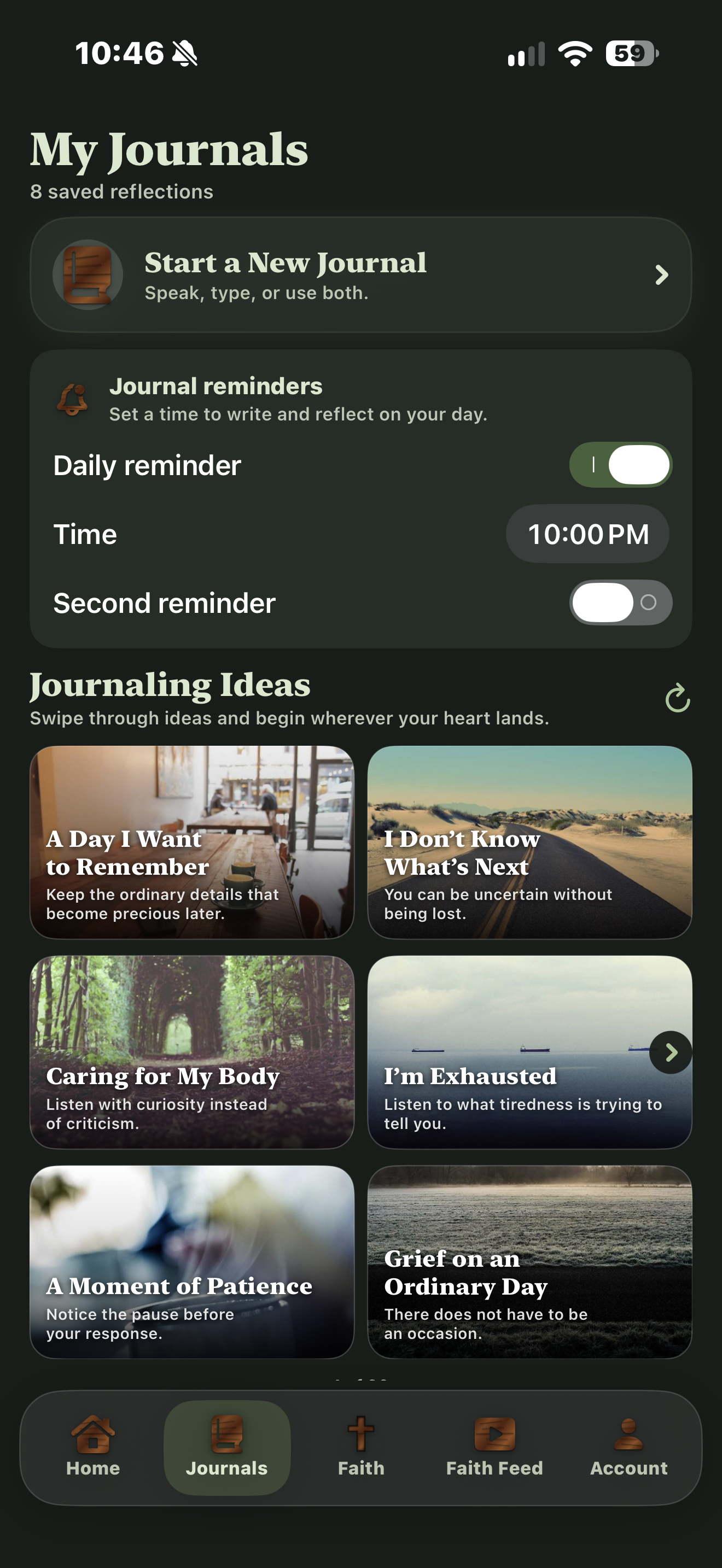
Make room for Scripture in your day. Read or listen, keep a bookmark in a passage that speaks to you, or spend a little time with a guided study.
Find Scripture and guided Bible studies that connect with what you’re feeling, facing, and growing through.
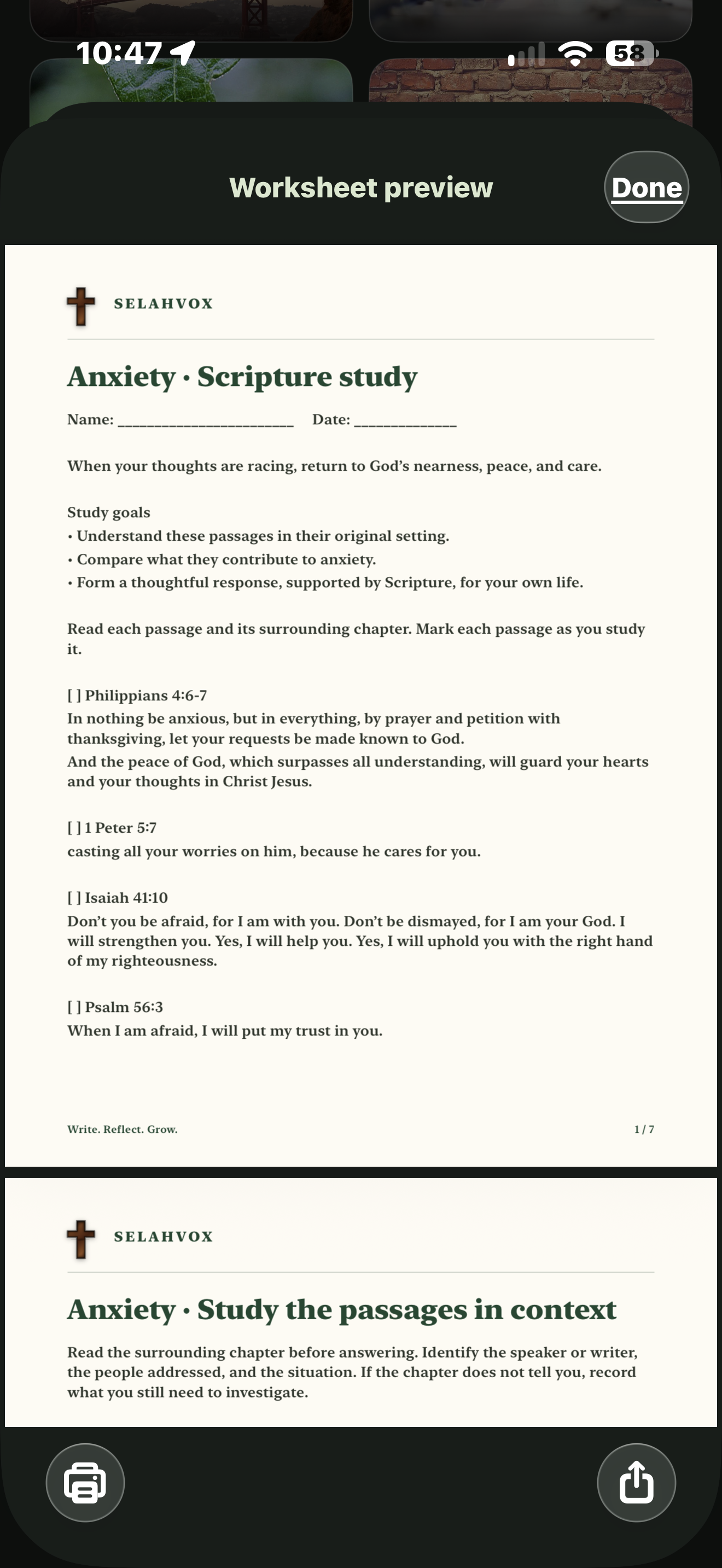
Take your time with thoughtful questions and space to write. Your answers and place are saved, so you can return when you’re ready. You can also print or share a study worksheet, with your answers or as a fresh page.
A fresh start in the morning. A quiet moment before bed. Open a Morning or Evening devotional for Scripture, reflection, prayer, a thoughtful question, and a small practice to carry into your day. Save the ones you want to return to, or listen in your chosen companion voice with the current section highlighted. Choose optional morning and evening reminders at times that suit you.
New to the Bible? Start with a question, explore a passage, or share what you’re trying to understand. Browse life topics in Faith for What You’re Facing, or describe what’s on your mind to find a place to begin.
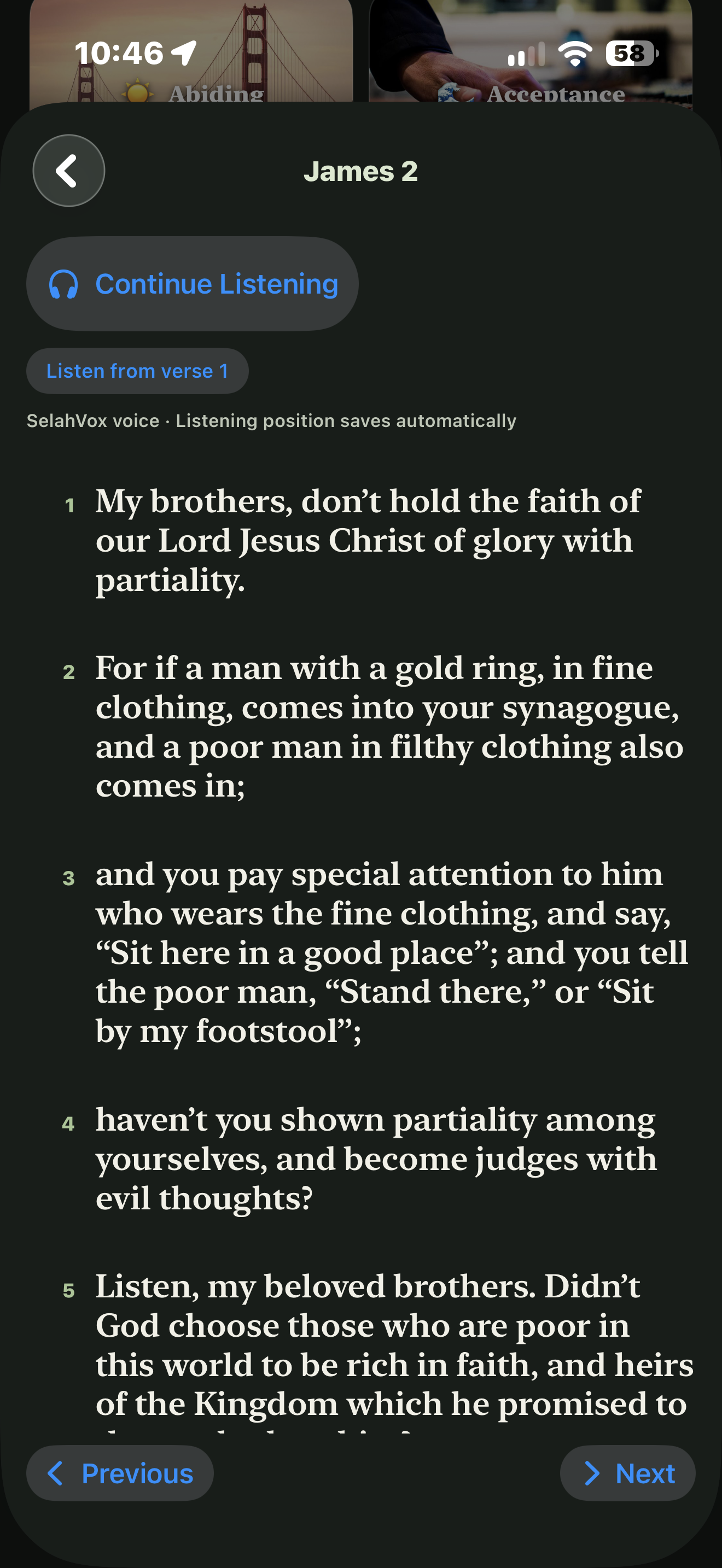
Choose a Bible translation, read or listen, and return to your reading or listening place. Save a verse with its heart, highlight a passage, and keep your bookmarks close. Psalms & Proverbs offers another place to find prayer and wisdom for what you’re facing.
Request a prayer around what you choose to share. Or stay a little longer with a guided Bible study: reflect, answer at your own pace, save your place, and print or share a worksheet when you want to.
In Saved Sermons, record a message with permission, keep your notes and Scripture references, and return to what stayed with you. Keep a YouTube sermon link with your notes, or import a transcript file shared by your church.
Explore faith topics and guided studies, or spend a quiet moment in the Bible.
Inside SelahVox · iPhone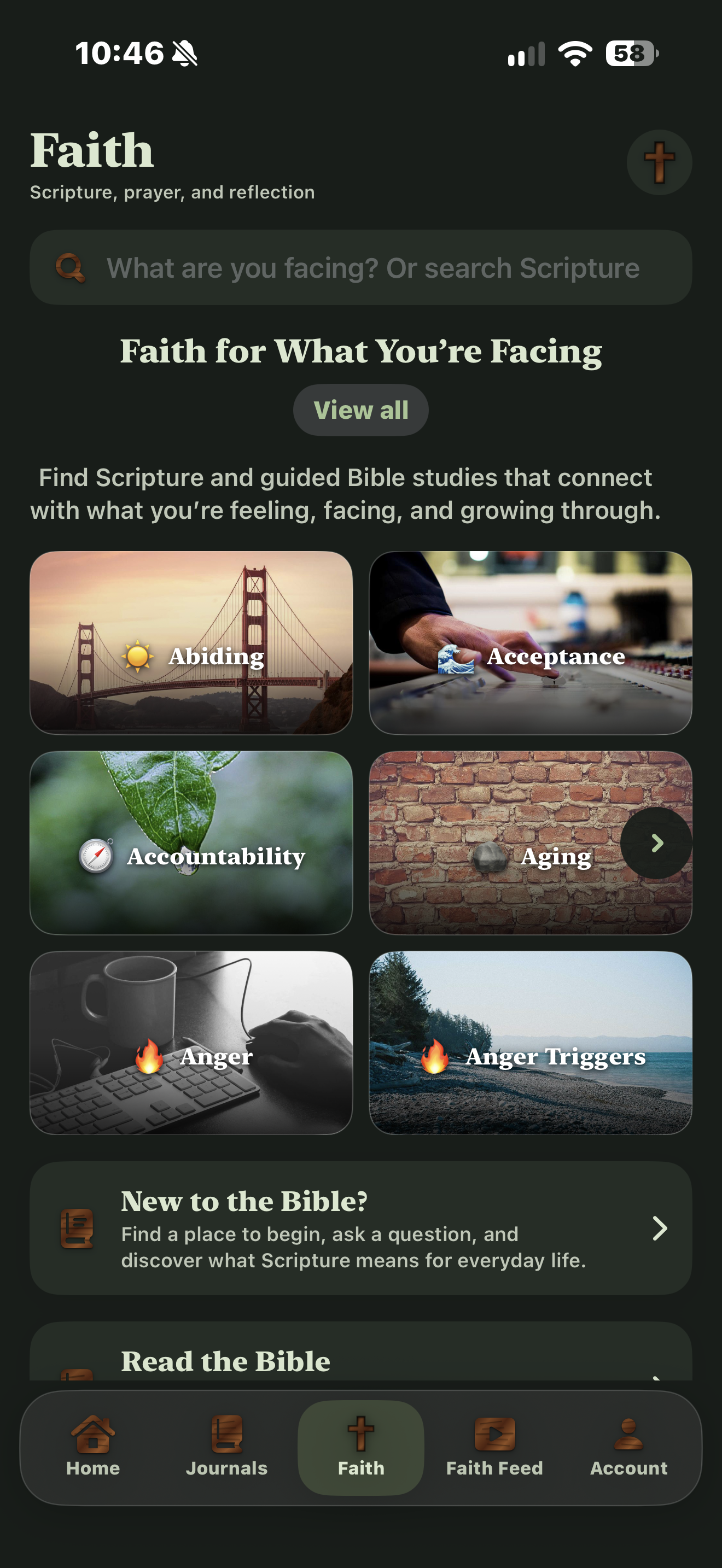
Find encouragement, a fresh perspective, or a church to spend time with. Explore Christian videos, worship, and teaching in Faith Feed, save the ones you want to return to, and watch your favorite churches live within the app.
Spend time with worship, teaching, testimonies, prayer, and everyday Christian encouragement. Use Like, Less, and Save to help shape your own feed. Pull down at the top for a fresh mix while keeping the choices you’ve already made.
Saved Feeds brings your videos together with pictures and titles, so it’s easier to find a moment again. Open the one you choose and watch inside SelahVox. In Profile, decide whether videos start automatically, play the next one, or stay with the current video on repeat.
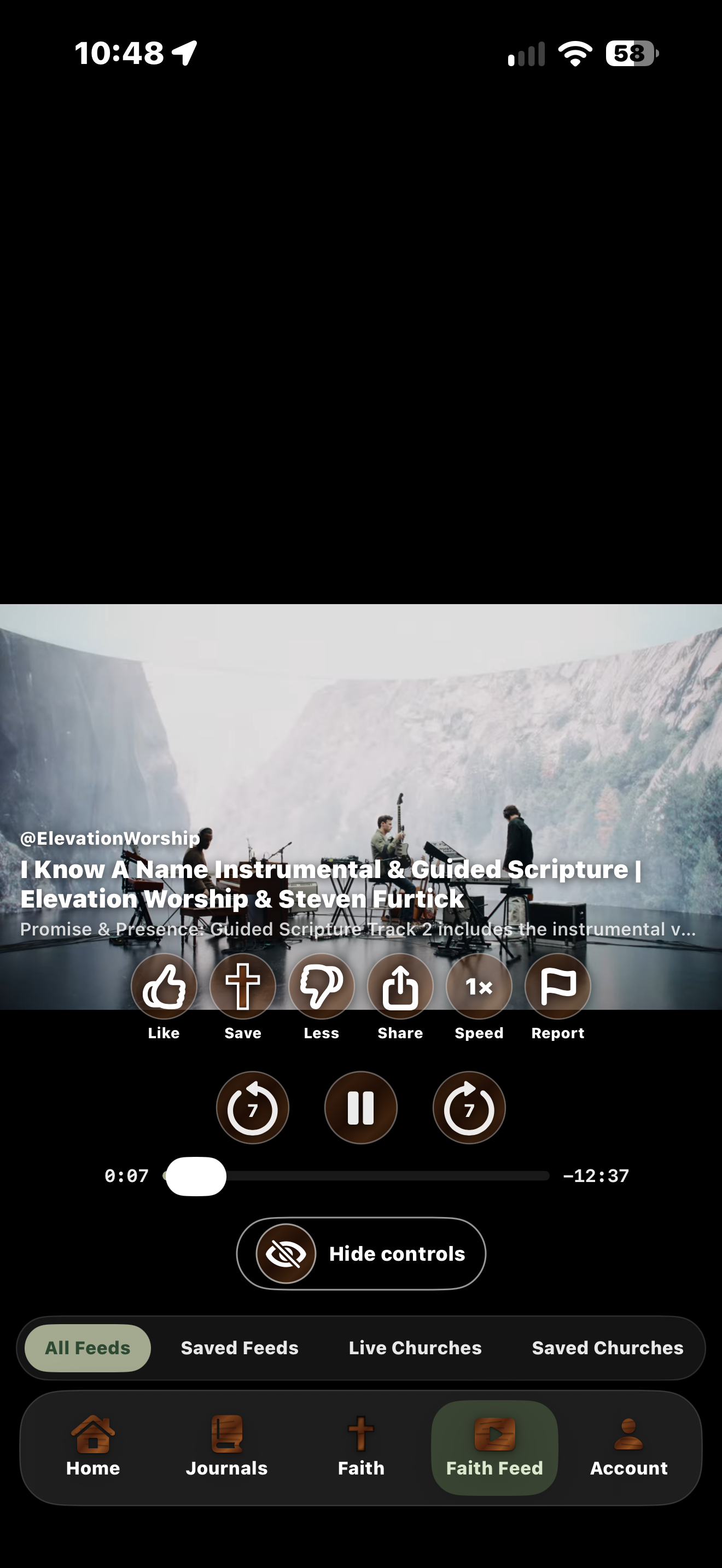
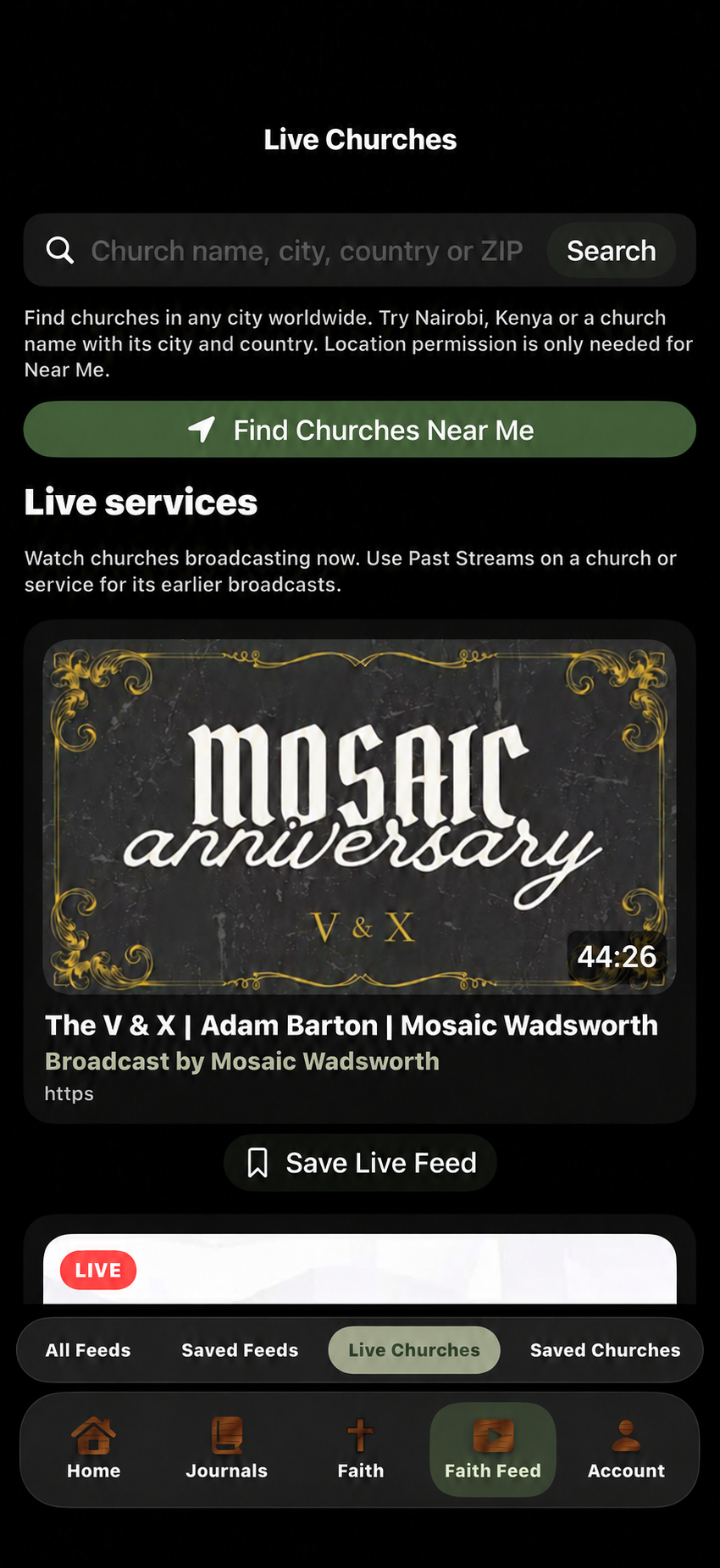
App previews. Appearance may vary by device and app version.
Make this space feel like yours—with a familiar companion voice, a peaceful soundscape, and the language you feel most at home in.
Settle in with a soundscape you enjoy and choose your language in Account. App translations may not always get every word right. Speaking and listening options depend on your language and device, while Scripture follows the Bible translation you choose.
Preview Tiffany, Bella, Austin, Cody, Claudia, and Dave, then choose the companion voice you want to hear. Set your reading speed, choose a soundscape, and make room for listening in the way that suits you. Playback preferences let you keep read-aloud audio going while your phone is locked and choose whether the screen stays awake. Faith Feed videos pause when you leave the app.
Choose reminders for journaling, a Morning or Evening devotional, or a favorite church going live. Turn on only the ones you want, and choose your devotional times. Notification delivery follows your device settings.
Moving between your phone and tablet? Sign in with the same SelahVox account to return to your journals, studies, saved verses, devotionals, and favorite churches. Keep Bible sync on when you want your reading and listening places to follow too. In Account, you can sync now, choose what helps personalize your experience, and add a device-unlock step for a little more privacy.
Make space for your day with a spoken or written journal, a Morning or Evening devotional, Scripture, prayer, or a conversation with your companion. Explore guided studies, Psalms & Proverbs, and sermon notes. Faith Feed brings videos and live churches together, with saved favorites to return to. Your progress, reminders, voice, and playback choices help this space feel like yours. Features can vary by app version and device.
The seven-day check-in counts consecutive days you open the app. Growing in faith shows today’s reflection, weekly or monthly journaling activity, Bible chapter completion, and your current study steps. Achievements recognize completed weeks, months, and studies. Your own activity and progress appear inside the app.
Yes. Your answers and place are saved, so there’s no need to rush. Come back when you have a quiet moment. You can also preview, print, or share a worksheet with your answers or a blank copy.
Yes. The Bible reader highlights the passage being read and follows through verses, pages, and chapters. Keep a bookmark or highlight to return to a meaningful place. Devotionals and other companion readings also highlight the current section. Choose your reading speed and pause or resume when you need to. Audio preparation and playback depend on the content, connection, and app version.
You can talk out loud or write—whatever helps you express yourself. On your first sign-in, choose a companion voice from the same previews available in Profile. Your companion can greet you by name and help you reflect, find words, or make space for prayer. The app explains what you share for AI help, and you choose whether to save a response. You can end a conversation whenever you need to.
Choose your language in Account. The app and its studies can be translated, while your journals and answers stay in your own words. Automatic translations can vary in accuracy. Voice options depend on your language and device, and Scripture follows your chosen Bible translation.
When you’re signed in, your journals can sync through SelahVox’s services, and the app also keeps content on your device. If you choose to use AI help, the conversation you share is sent for processing. Read our Privacy Policy for details and use Data & account deletion for deletion requests.
Yes. Choose Morning or Evening for Scripture, reflection, a question, a small practice, and prayer. Save a devotional to revisit, or listen with your chosen companion voice. You can turn on separate reminders and choose a time for each. Preparing the reading can take a little time before Listen is ready.
Open Past Journals and browse the year, month, or week, search for words you remember, or use Calendar and Filter. You can also arrange journals and create a monthly reflection when you want to look back.
Like the videos that speak to you, use Less for the ones that don’t, and save the ones you want to keep. Those choices help shape your own feed over time. Pull down at the top for a fresh mix. Your settings let you turn autoplay off, play the next video, or repeat the current one.
Save a church or an available broadcast in Faith Feed. Saved Churches brings together live services from your favorites, Saved Live Feeds, your church directory, and alert settings. Past Services lets you revisit broadcasts the church still makes available. Connect YouTube if you want to join an available live chat.
Sign in to the same SelahVox account and use the available sync settings. Journals and supported saved content can sync with your account. Bible sync has its own controls for your reading and listening places. Changes made offline may need a connection before they appear elsewhere; app versions and device settings can affect what’s available.
See download availability for verified public store links. Membership and any trial terms are shown in the app’s purchase flow. This website introduces the app and provides support. A member sign-in page is available, but the full web experience is still being prepared. Signing in here does not mean every iPhone feature is available in your browser.
Visit Support or email selahvoxstudios@gmail.com. Include your device, app version, and the steps that caused the problem. Manage Apple-billed subscriptions through Apple’s subscription settings. Account deletion and uninstalling do not automatically cancel a subscription.
Find out when SelahVox is available for your phone or tablet. A web experience is also on the way.
We’ll add the official store links as each release becomes available.